How to add a "Fill-Up" for your vehicle
Adding a Fill-Up allows you to track your vehicles average fuel consumption.
To add a fuel-up you need to select the vehicle that you are wanting to track.

Now that you are in your vehicle profile, scroll down until you find the Fuel Tracking section, then click "Add Fill-Up"

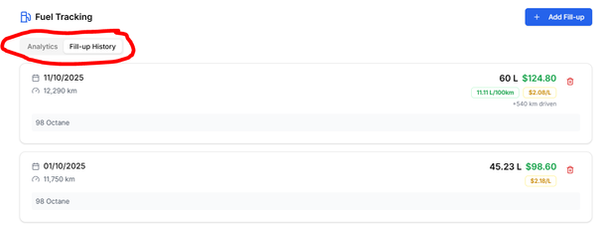
You will be able to enter the details of your Fill-Up which will be displayed in your Fill-Up History tab.
You can note the type of fuel you use as well as any other important details in the Notes section.
When you update the Current Odometer, this will automatically update on your vehicle profile and the main dashboard.

Once you have finalised your Fill-Up you can switch between the Analytics and Fill-Up History tab.
This will show you a break down of each Fill-Up you have completed as well as combined data such as your average fuel consumption